Deadlock mods for 4:3,
the HUD and hero select

De-stretch and scale the HUD and shop, add a 4x3 aspect ratio, and find heroes faster. Free, and they work together.

HUD Fit
HUD Fit5 screenshots

HUD Fit

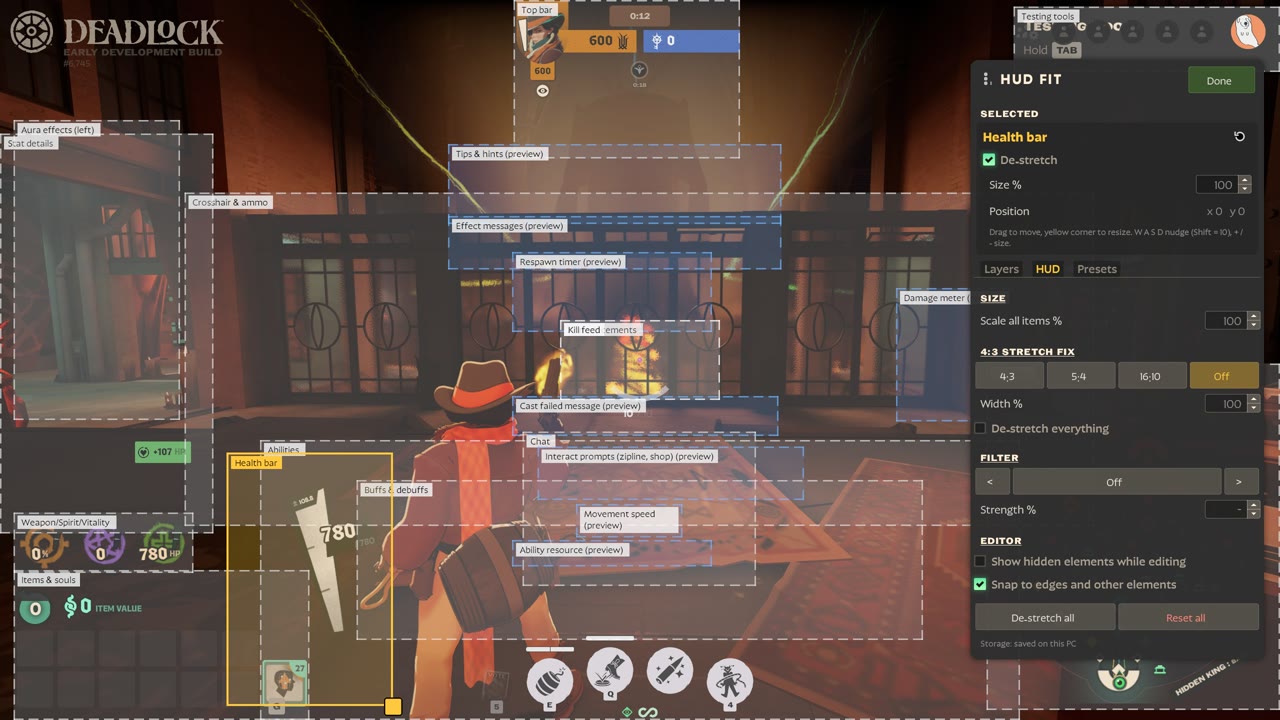
Move, resize and de-stretch every HUD element, live in game.
  • De-stretch the HUD for 4:3 stretched (or 5:4, 16:10)
  • Scale the whole UI, or each element on its own, including the shop
  • Drag any of 23 elements on the real HUD, with snapping and centering
  • Hide, lock and reset elements; save and share layouts
  • Fixes the health bar disappearing at 4:3

HUD Fit

Download 1.2.2

Rearrange your HUD, live, in game

HUD Fit is an in-game editor for the Deadlock HUD: click any element, drag it, resize it, hide it. Built for 4:3 stretched players (de-stretch the HUD so it stops looking wide), useful on any resolution.

Open it: Esc → HUD Fit (under Settings). Best in Explore NYC or a sandbox / Hero Testing match — the hideout hides most of the HUD.

Features

  • Click, drag, resize any of 23 HUD elements on the real HUD — health bar, abilities, items & souls, weapon/spirit/vitality, minimap, top bar, crosshair & ammo, kill feed, chat, the buy menu (shop), prompts, buffs, damage meter and more
  • Snapping to screen edges, the centre and other elements; W A S D nudge (Shift = 10 px), + / − size
  • Center buttons: put the crosshair or any element exactly in the middle of the screen
  • Layers panel: show/hide each element in game, lock it, reset it with one click
  • 4:3 stretch fix: de-stretch chosen elements or everything (4:3, 5:4, 16:10 presets)
  • Scale all items: make the whole HUD bigger or smaller — every element stays at its screen edge
  • Fixes the health bar disappearing at 4:3 (the stock layout only fits 16:9 and wider)
  • Test tab: one-click sandbox situations (damage, low health, death/respawn timer, level up, souls, buffs, enemy bot, trooper wave, DPS meter) so you see the real UI while arranging it
  • Layouts: Default, Clean and up to 20 named layouts — export / import a layout code to share it
  • Filters with a strength slider: Monochrome, Sepia, Neon, Ice, Ghost, Focus, Muted
  • Everything is saved on your PC and comes back after a restart

Install

  • Install with Deadlock Mod Manager, or copy the VPK into game/citadel/addons as the next free pakNN_dir.vpk
  • Made to be used together with 4:3 Video (adds a 4x3 aspect ratio option to the video settings)

Compatibility

  • Works with Hero Select Plus and 4:3 Video
  • Conflicts with other mods that replace base_hud or hud_escape_menu, and with full HUD overhauls
  • After a big game update, if the HUD looks wrong, disable the mod until an updated build is posted

Saving & privacy

Layouts are kept in your PC's game browser storage through a tiny page with no network access (nothing is uploaded): hudfit-storage.

Before and after

4:3 stretched on a 16:9 monitor, the same spot: the stock HUD, then de-stretched and resized with HUD Fit. Drag to compare.
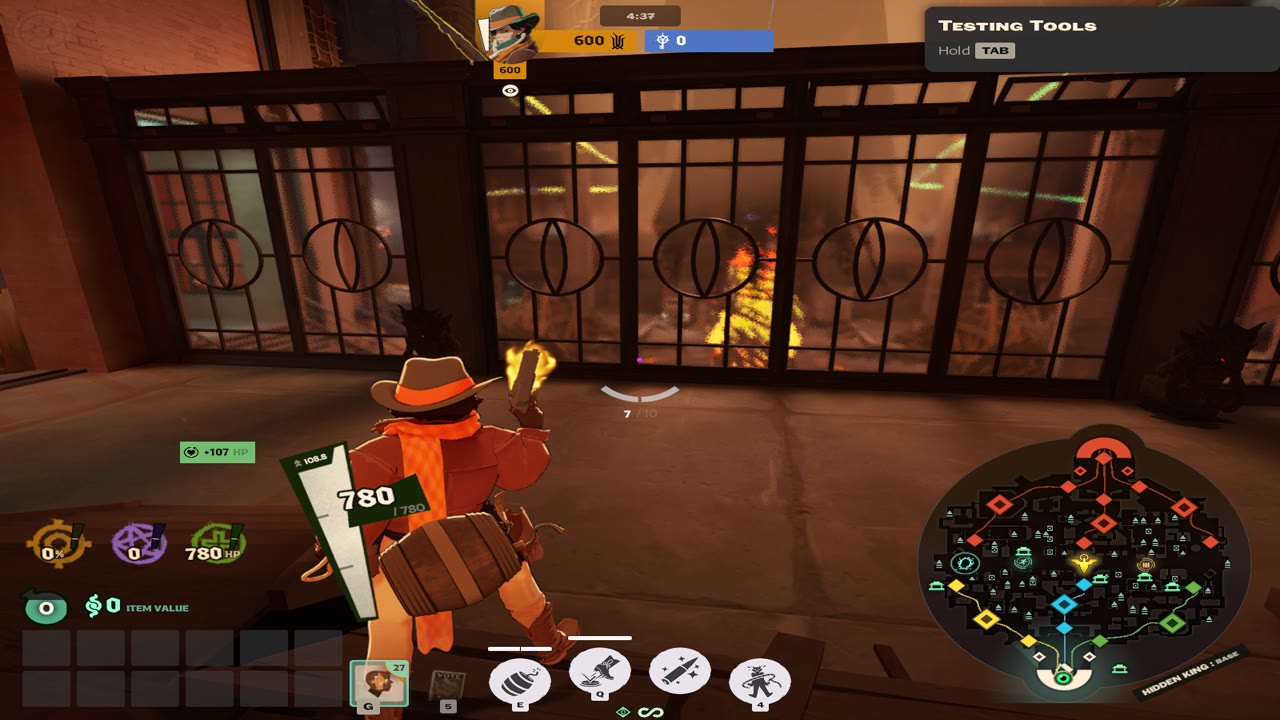
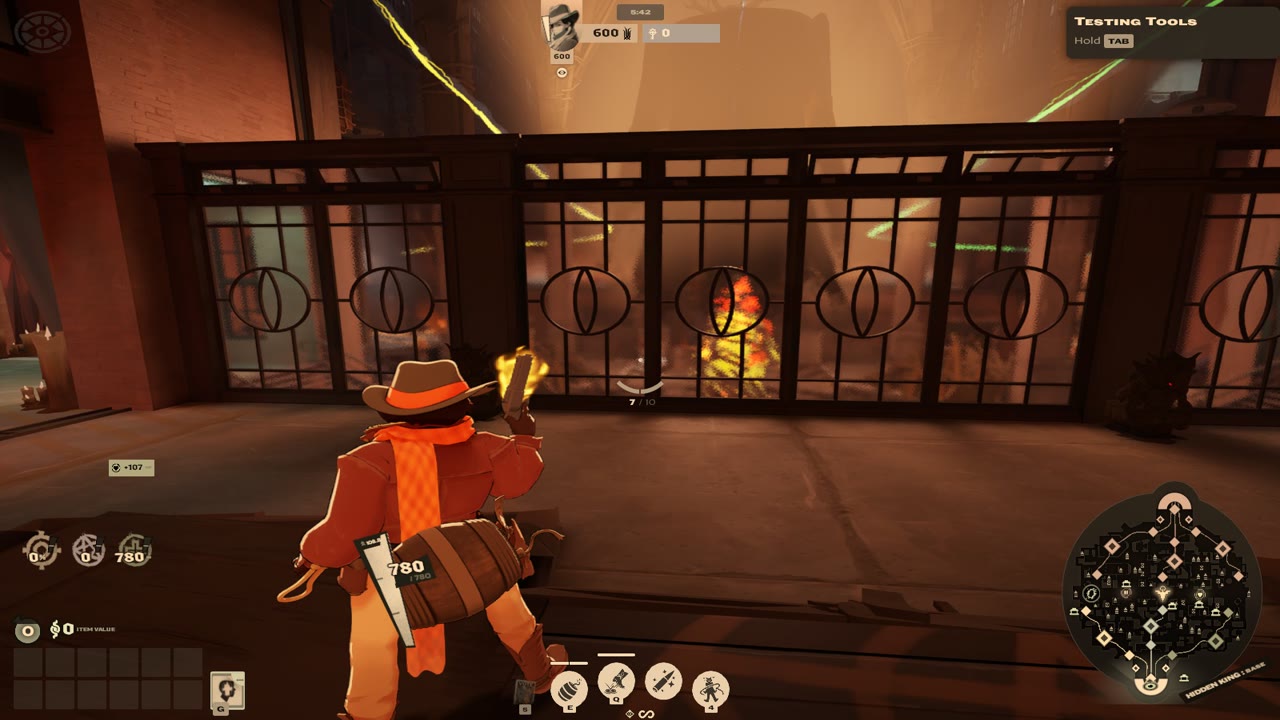
Deadlock HUD stretched at 4:3, without HUD Fit Deadlock HUD de-stretched and resized with HUD Fit BeforeWith HUD Fit
4:3 Video

4:3 Video

Adds a 4x3 aspect ratio button to the video settings, without hiding new settings.
  • 4x3 next to 16:9, 16:10 and 21:9 in Settings → Video
  • Lists the 4:3 resolutions your driver offers (1600x1200, 1440x1080...)
  • Never replaces the settings screen, so new game settings keep showing
  • Made to be used with HUD Fit

4:3 Video

Download 2.0

A 4x3 button in the video settings

Adds a 4x3 choice to Settings → Video → Aspect Ratio, next to 16:9, 16:10 and 21:9. Pick it and the resolution list shows the 4:3 modes your graphics driver offers.

Why this one

  • Older 4:3 mods ship a whole copy of the settings screen — that hides every newer setting (Down Dash bind, shop binds, subtitle options…) and gets worse with every patch
  • 4:3 Video never replaces the settings screen: the button is added to the live screen while it is open, so settings from future game updates always show up
  • Remembers your choice: 4x3 stays selected when you reopen the settings

Higher 4:3 resolutions

Want 1920×1440 or similar? The game lists what your graphics driver offers — add them as custom resolutions first (AMD Adrenalin, NVIDIA Control Panel or CRU).

Install

  • Install with Deadlock Mod Manager, or copy the VPK into game/citadel/addons as the next free pakNN_dir.vpk
  • Turn off older 4:3 settings mods (they replace the settings screen)
  • Made to be used together with HUD Fit — de-stretch, move and resize the HUD for 4:3 stretched

Compatibility

  • Works with HUD Fit and Hero Select Plus
  • Changes only one tiny HUD file (subtitles layout); the settings screen is never touched
Hero Select Plus
Hero Select Plus2 screenshots

Hero Select Plus

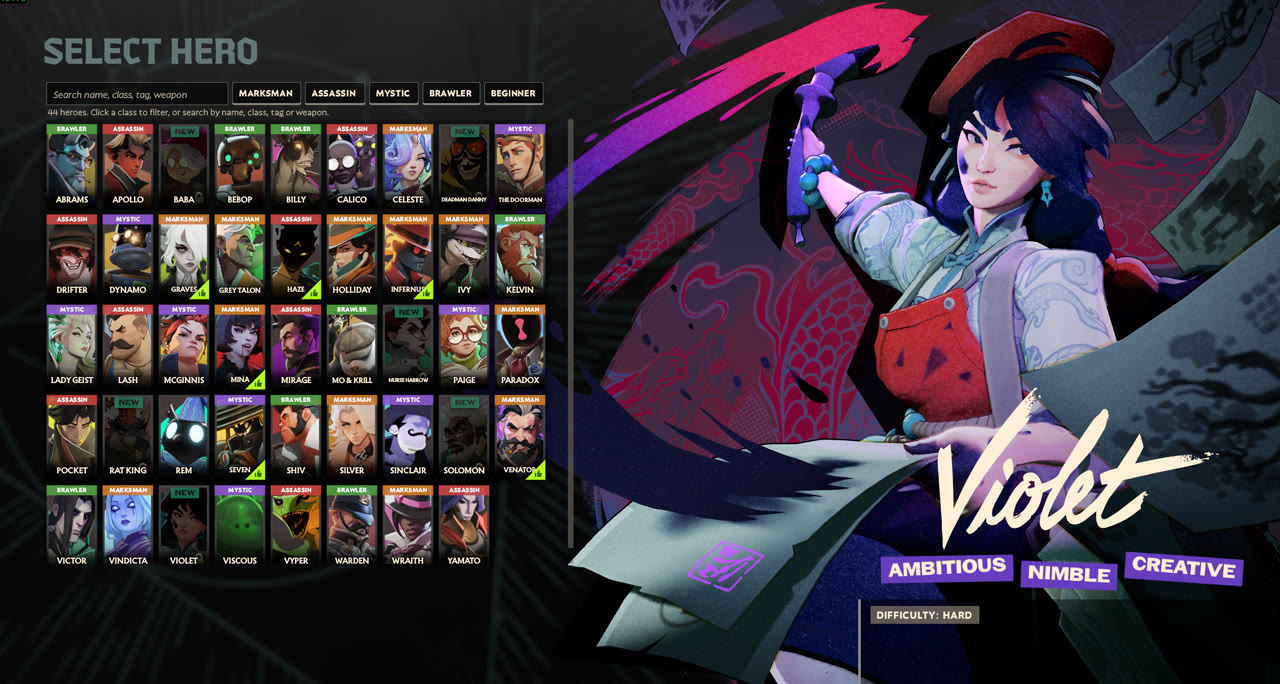
Hero names, classes, search and filters on the hero select screen.
  • Names and colour-coded classes on every hero card
  • Search by name, class, tag, weapon type or difficulty
  • Class filters and a Beginner button
  • Hover details: role, difficulty and playstyle

Hero Select Plus

Download 1.0

Learn the heroes faster

Hero Select Plus makes the hero select screen easier to read, especially if you are new to Deadlock.

Features

  • Hero names always visible on every card
  • Class on every card, colour coded: Marksman, Assassin, Mystic, Brawler
  • Search box: hero name, class, tag, weapon type or difficulty — several words narrow it down (e.g. brawler tank)
  • Class filter buttons plus a Beginner button for heroes the game recommends to new players
  • Hover details: class, difficulty, weapon type, a one-line role and the playstyle summary
All hero information is read from the game's own data when the mod is built.

Install

  • Install with Deadlock Mod Manager, or copy the VPK into game/citadel/addons as the next free pakNN_dir.vpk

Compatibility

  • Works with HUD Fit and 4:3 Video
  • Conflicts with other mods that replace the hero select popup or hero card layouts
  • After a game update, if hero select looks wrong, disable the mod until an updated build is posted

Install

Download a mod's .zip above, then add it in your mod manager or by hand.

Deadlock Mod Manager easiest

  1. Open Deadlock Mod Manager and choose Add Local Mod.
  2. Drop the zip in (don't unzip it), name it, add it, and turn it on.

Grimoire

  1. In Grimoire, open Installed and choose Import Local Mods.
  2. Pick the zip and turn the mod on.

By hand

  1. Unzip it. It contains pak01_dir.vpk.
  2. Copy that file to Deadlock/game/citadel/addons and rename it to the next free number (pak02_dir.vpk, ...). The game stops loading at the first missing number.
  3. Mods must be enabled in gameinfo.gi. A mod manager does this for you.

Updating: remove the old version in your mod manager, then add the new zip from this page.

FAQ

How do I de-stretch the HUD when playing Deadlock 4:3 stretched?

Install HUD Fit, press Esc and choose HUD Fit, open the HUD tab and pick the 4:3 stretch preset. Then turn on De-stretch everything, or de-stretch only the elements you choose.

How do I make the Deadlock UI or shop smaller or bigger?

In HUD Fit, use Scale all items in the HUD tab for the whole HUD. To resize one element, select it (for example Buy menu (shop) under Layers) and change Size %, or drag its corner handle.

How do I get a 4:3 resolution in Deadlock?

Install 4:3 Video, then pick 4x3 under Settings, Video, Aspect Ratio. If the resolution you want is not listed, add it as a custom resolution in your graphics driver (AMD Adrenalin, NVIDIA Control Panel or CRU) first.

Do these mods work together?

Yes. They change different game files. HUD Fit conflicts with other mods that replace base_hud or hud_escape_menu, and Hero Select Plus conflicts with other hero select mods.

A game update broke something. What now?

Turn the mod off in your mod manager until an updated version is posted on this page.